Home › Blog › Automation
AutomationProcess automation for SMEs: a step-by-step guide to get started
What is process automation, what to automate first, a 5-step method, tools, and common errors. No programming required.

In almost all small businesses, there's someone who spends hours copying data from one place to another: from email to a spreadsheet, from a form to a CRM, from an invoice to a report. Automating means achieving that repetitive tasks are done on their own, with clear rules, so your team can dedicate their time to what really requires judgment. This guide explains how to start step by step, without knowing how to program and without overspending.
What is process automation?
It is the use of software to execute repetitive tasks without human intervention. The logic is almost always the same: when something happens (trigger), the system does something (action), following conditions that you define.
Everyday examples:
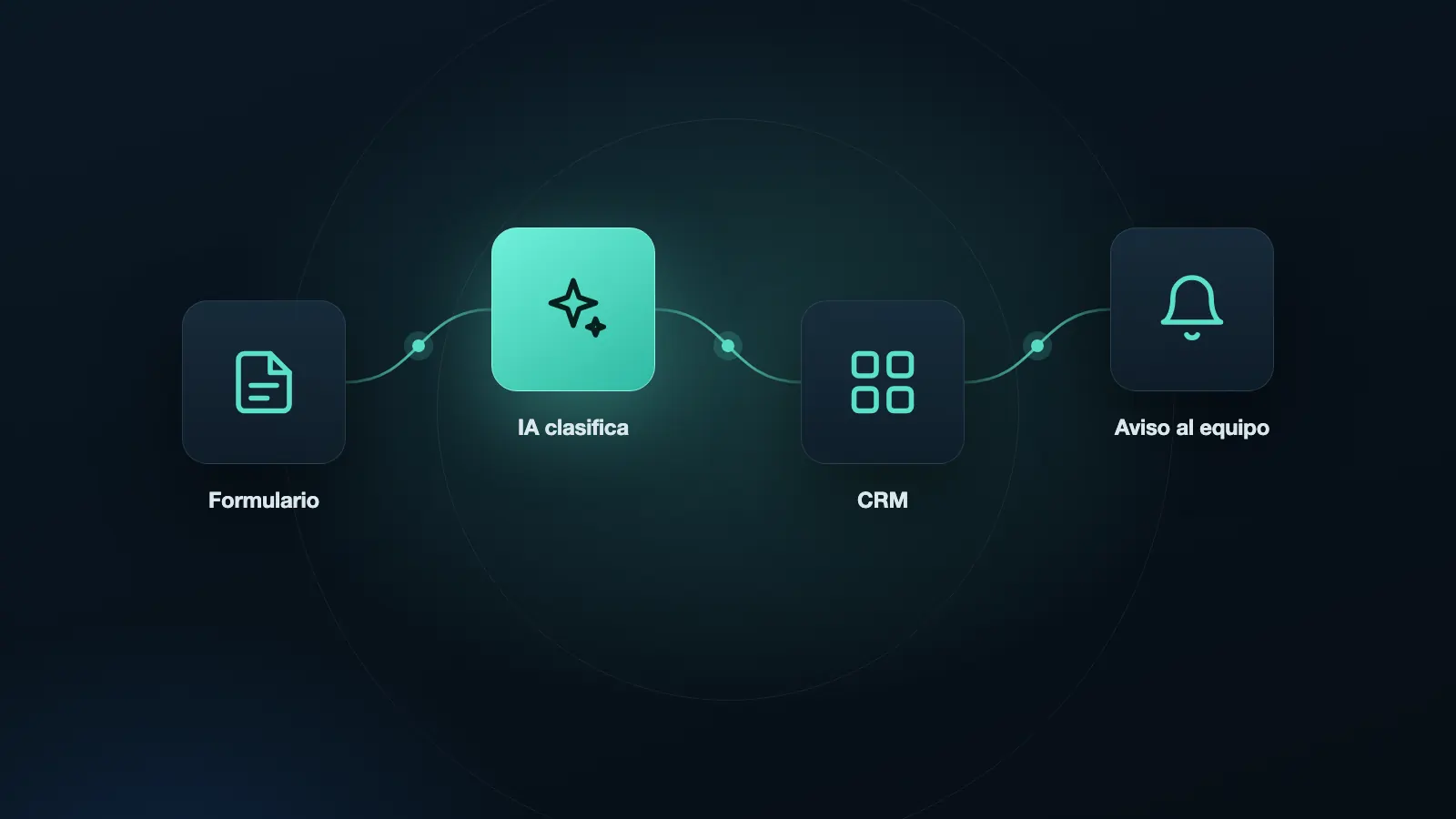
- When someone fills out the form on your website, it is saved in your CRM and you receive a notification.
- When a customer pays, the receipt is generated and the order status is updated.
- When an appointment is approaching, a reminder is sent via WhatsApp.
- When the month ends, a report is generated with sales and sent by email.
It's not the same as artificial intelligence, although they can work together. Automation follows rules that you define; AI can help interpret texts or answer questions within one of those rules.
What benefits does it have for a small business
- Time savings: hours per week that are recovered for sales, service, or management.
- Fewer errors: a rule does not make mistakes when copying a number or forgetting a step.
- Faster response: an immediate notification or confirmation improves the customer experience.
- Order and traceability: a record of what happened and when is kept.
- Ability to grow without hiring for repetitive tasks.
What to automate first
A task is a good candidate if it meets these four conditions:
- It is repetitive: it is done the same way each time.
- It is frequent: it is done several times a week or per day.
- It has clear rules: you can say "if A happens, I do B" without ambiguity.
- It has low risk: if something fails, the damage is small and is detected quickly.
Tasks that require judgment, empathy, or negotiation, such as closing a complex sale or resolving a delicate complaint, are better left to people.
12 processes you can automate
Sales and customers
- Save each web form as a prospect in your CRM.
- Assign new prospects to the next advisor and create a call task.
- Send the quote or catalog when someone requests it.
- Remind follow-up to prospects who have not responded.
Customer service
- Respond to frequent questions via WhatsApp or web.
- Confirm appointments and send reminders.
- Ask for an opinion after a purchase.
Finance and administration
- Generate payment reminders before and after the due date.
- Register received payments and update the customer status.
- Send a weekly sales report to the manager.
Team and operation
- Create a task in the project when a sale is closed.
- Notify the team when something fails or is delayed.
If you want to see more examples with a specific tool, read our article on 7 processes you can automate with n8n.
5-step method to start well
Step 1: map how it's done today
Write, step by step, how the process is carried out: who initiates it, what information is used, in what tools it is done, and who finishes it. Although it may seem obvious, almost always forgotten or duplicated steps appear.
Step 2: measure the cost
Calculate the cost of the current process with a simple formula:
Hours per week × cost per hour × 52 weeks = annual cost
For example, if a person dedicates 4 hours per week to copying data and their hour costs 15,000 pesos, the annual cost is 4 × 15,000 × 52 = 3,120,000 pesos. That number helps you decide how much it's worth investing in automating it.
Step 3: choose one process
Start with a small, frequent, and low-risk one. A quick first success convinces the team and teaches you how it works.
Step 4: build and test it
Define the trigger, conditions, and actions. Test it with example data before connecting it to real customers. Anticipate what happens if something fails (for example, that a notification arrives at a person).
Step 5: measure the result and adjust
After two or four weeks, compare: how many hours were saved?, were there errors?, does the team use it? If it works, repeat with the next process.
Automation tools
There is no "best" tool: it depends on your case, your budget, and who will maintain it.
- Visual automation tools (such as n8n, Make, or Zapier): connect applications through flows that are built by dragging blocks. They allow automation without programming. They vary in price, usage limits, and possibility of installing them on your own server.
- Native automations: many applications (CRM, email, calendars, online stores) come with built-in rules. They are the simplest option if they cover your need.
- Scripts and custom development (for example, Google Apps Script or custom code): offer the greatest flexibility, but require technical knowledge and maintenance.
- Artificial intelligence assistants: useful when the process includes understanding a text or answering a question.
Criteria for choosing:
- Does it connect the applications you already use?
- How much does it cost when the volume grows?
- Who will maintain it and how long does it take to learn?
- Where are the data stored? It matters if you handle customer information.
- Does it have an execution log and error notifications?
Security and personal data
An automation moves information, and often it is customer information. Keep in mind:
- Minimum accesses: connect each tool only with the permissions it needs.
- Keys well kept: do not put them in spreadsheets or share them by chat.
- Two-step authentication in the connected accounts.
- Data authorization: if you process personal data, you must have the consent of the individuals and comply with Colombia's Law 1581 of 2012.
- Providers and servers: find out where the data is stored and who has access.
For other basic measures, see our guide to cybersecurity for small businesses in Colombia.
Common errors when automating
- Automating a disordered process. If the manual process is a mess, automation makes it faster, but not better. First, organize it.
- Wanting to automate everything at once. Start with one.
- Not monitoring. An automation can fail silently. You need notifications when something doesn't work.
- Not leaving documentation. If only one person knows how it works, it becomes a risk.
- Completely removing people. In processes with customers, always leave an exit to a human.
- Not having a backup. Save a copy of your flows and important data.
When to ask for professional help
You can start alone with simple tools. Consider external support when:
- The process involves several systems and sensitive data.
- You need it to work reliably, with monitoring and support.
- You don't have time to learn the tool.
- You want to combine automation with an AI assistant or with your CRM.
Even so, understand well what is being automated: the decision of what processes to change is your business, not the provider's.
Frequently asked questions
Do I need to know how to program to automate? No to start. Visual tools allow you to build flows without writing code. For more complex cases, technical support may be necessary.
How much does it cost to automate a process? It depends on the tool and complexity. There are free options with limits, paid plans by volume of executions, and custom implementation services. First, calculate how much the manual process costs to compare.
Does automating mean firing people? Not necessarily. The usual thing is to free up time from repetitive tasks to dedicate it to customer service, sales, or process improvement.
What happens if an automation fails? That's why it's important to have error notifications and a responsible person. A good flow notifies when something doesn't go as expected.
What do I start with if I have little time? With a single task: automatically saving in your CRM the data of people who fill out your web form, and notifying you by email. It's simple, frequent, and useful from the first day.
In summary
Automating well is less a matter of tools and more of method: mapping the process, measuring its cost, choosing a small one, testing it, monitoring it, and improving it. Start with repetitive and low-risk tasks, take care of data security, and always leave a person responsible. The first results are usually seen in a few weeks.